> ## Documentation Index
> Fetch the complete documentation index at: https://docs.notifuse.com/llms.txt
> Use this file to discover all available pages before exploring further.
# Logs
> Real-time logs for monitoring email delivery and debugging email provider issues. Track message events and webhook data with advanced filtering capabilities.
## Overview
Logs provide real-time monitoring of email activity and webhook events to help debug email delivery issues and track campaign performance.
## Log Types
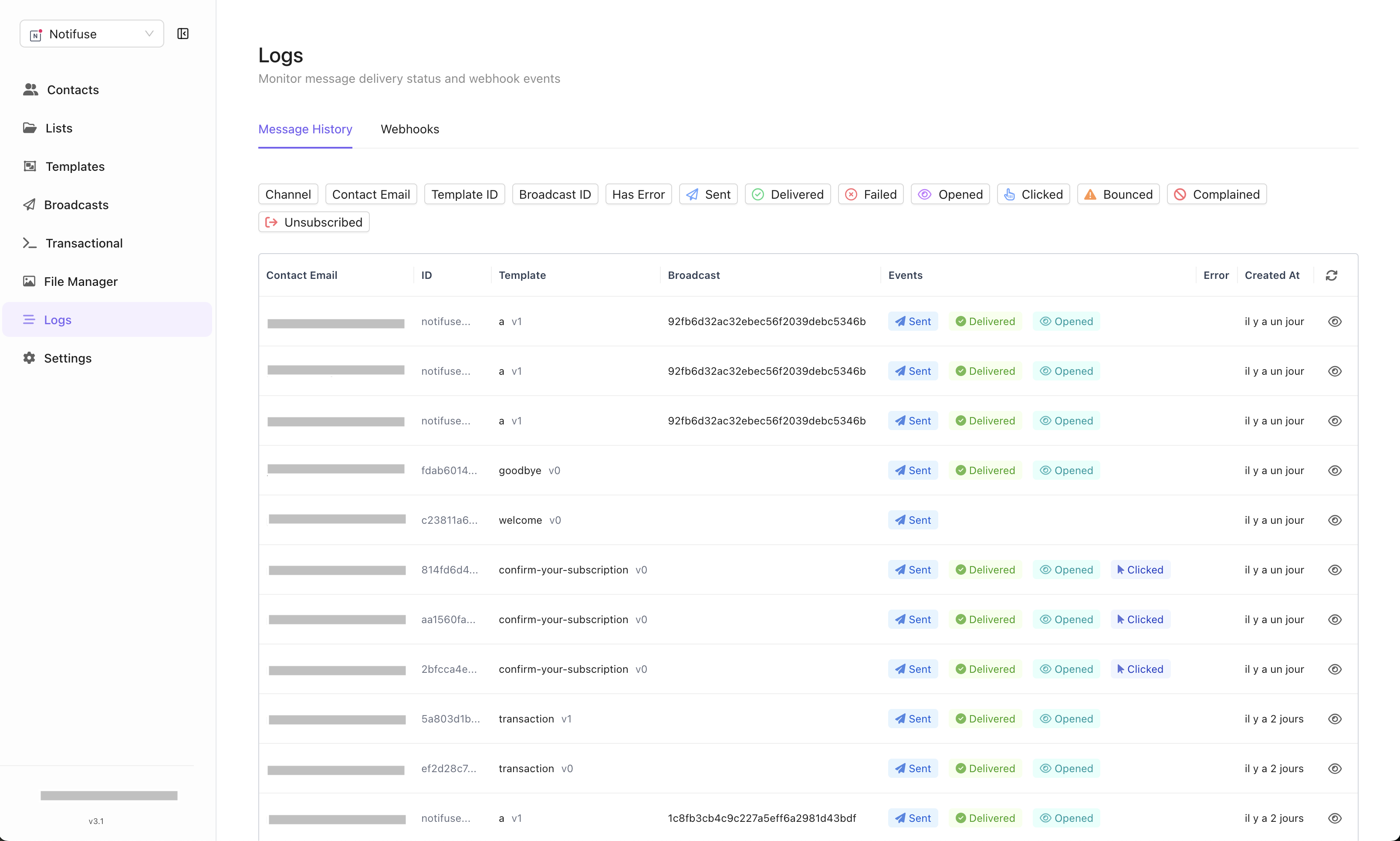
### Messages Tab
* **Email Events**: Track delivery, opens, clicks, bounces, and complaints
* **Real-Time Updates**: Events appear immediately as they occur
* **Email Provider Data**: Direct feedback from your configured email providers
 ### Email Provider Webhooks Tab
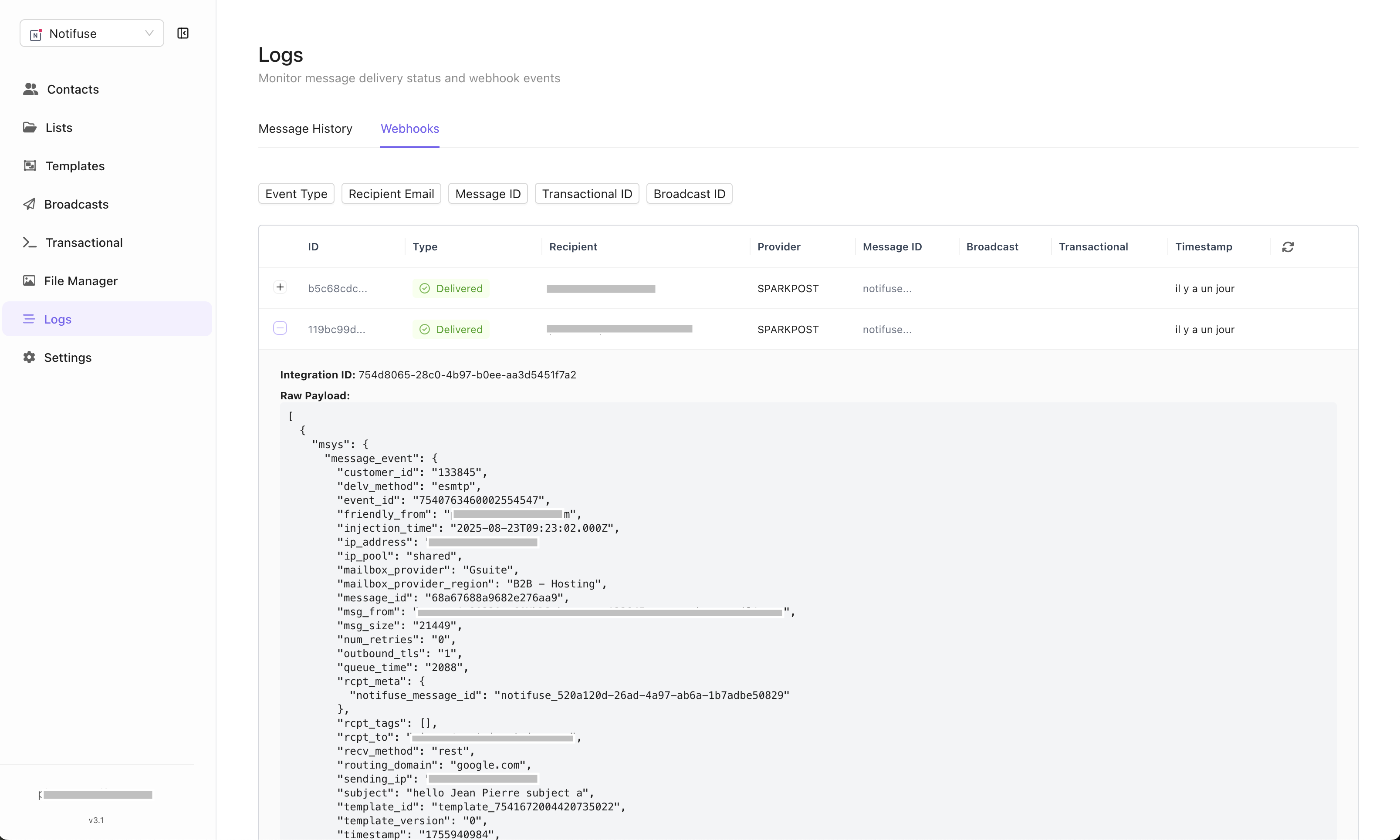
* **Raw Payloads**: Stores the complete, unmodified webhook data from email providers
* **Real-Time Processing**: Webhooks processed immediately upon receipt
* **Provider Integration**: Data from Mailgun, Amazon SES, Postmark, etc.
## Event Updates
Email events are updated in real-time as email provider webhooks are received:
* **Delivered**: Email successfully delivered to recipient
* **Opened**: Recipient opened the email
* **Clicked**: Recipient clicked a link in the email
* **Bounced**: Email delivery failed
* **Complained**: Recipient marked email as spam
### Email Provider Webhooks Tab
* **Raw Payloads**: Stores the complete, unmodified webhook data from email providers
* **Real-Time Processing**: Webhooks processed immediately upon receipt
* **Provider Integration**: Data from Mailgun, Amazon SES, Postmark, etc.
## Event Updates
Email events are updated in real-time as email provider webhooks are received:
* **Delivered**: Email successfully delivered to recipient
* **Opened**: Recipient opened the email
* **Clicked**: Recipient clicked a link in the email
* **Bounced**: Email delivery failed
* **Complained**: Recipient marked email as spam
 ## Filtering Options
Filter logs by multiple criteria:
* **Status**: Filter by delivery status (delivered, bounced, etc.)
* **Email**: Search by specific recipient email address
* **Template**: Filter by email template used
* **Broadcast**: Filter by specific broadcast campaign
## Debugging Email Issues
Logs are essential for troubleshooting email provider problems:
* **Delivery Failures**: Identify bounced emails and reasons
* **Provider Issues**: Spot patterns in webhook failures
* **Performance Monitoring**: Track open and click rates
* **Real-Time Debugging**: Immediate feedback on email sending issues
## Filtering Options
Filter logs by multiple criteria:
* **Status**: Filter by delivery status (delivered, bounced, etc.)
* **Email**: Search by specific recipient email address
* **Template**: Filter by email template used
* **Broadcast**: Filter by specific broadcast campaign
## Debugging Email Issues
Logs are essential for troubleshooting email provider problems:
* **Delivery Failures**: Identify bounced emails and reasons
* **Provider Issues**: Spot patterns in webhook failures
* **Performance Monitoring**: Track open and click rates
* **Real-Time Debugging**: Immediate feedback on email sending issues