> ## Documentation Index
> Fetch the complete documentation index at: https://docs.notifuse.com/llms.txt
> Use this file to discover all available pages before exploring further.
# Postmark
> Configure Postmark as your email provider in Notifuse.
Postmark integration allows you to use Postmark for sending transactional emails through Notifuse.
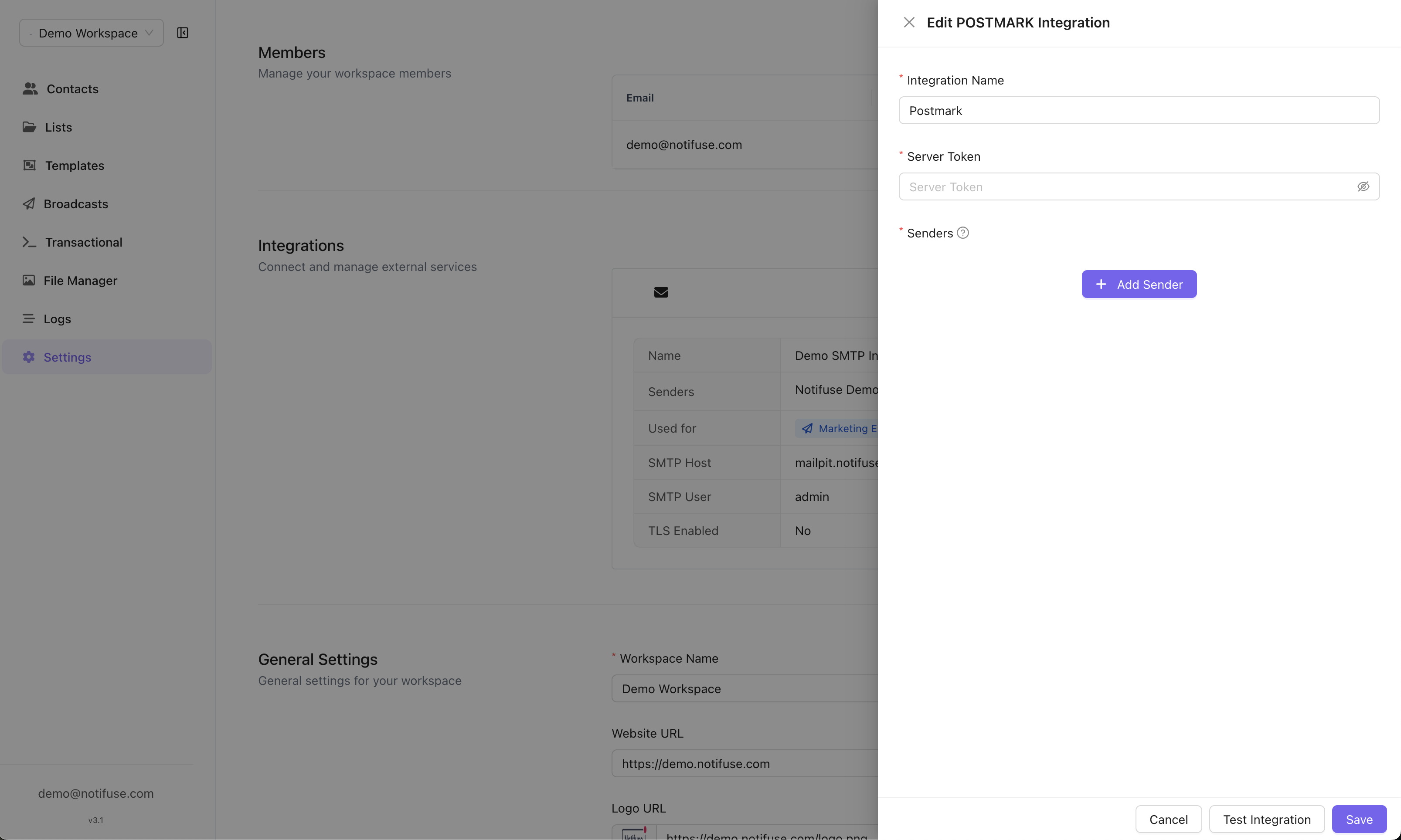 ## Configuration
Navigate to **Settings** → **Integrations** → **Add Integration** → **Postmark**.
## Configuration
Navigate to **Settings** → **Integrations** → **Add Integration** → **Postmark**.
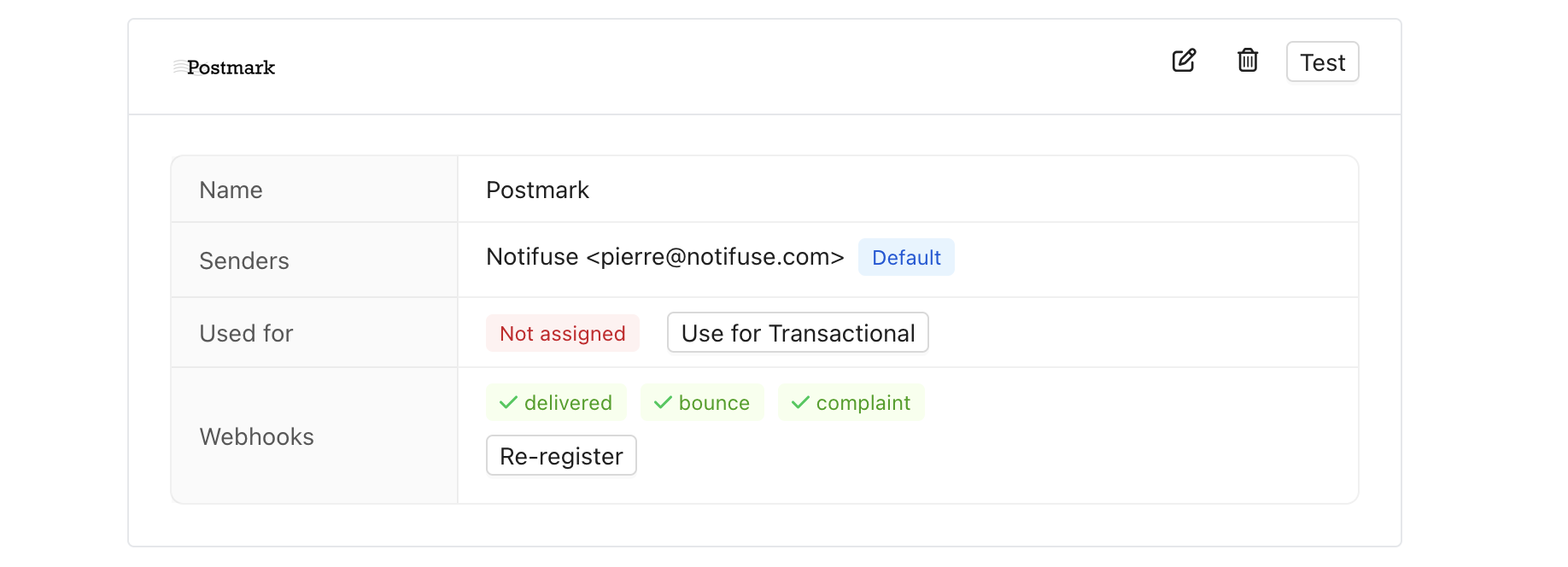 ### Form Fields
| Field | Description | Example |
| ---------------- | ------------------------- | -------------------------------------- |
| **Server Token** | Postmark server API token | `12345678-1234-1234-1234-123456789012` |
### Senders List
Add sender addresses that have been verified in your Postmark account:
| Field | Description | Example |
| --------- | --------------------------- | ------------------------ |
| **Name** | Display name for the sender | `Support Team` |
| **Email** | Sender email address | `support@yourdomain.com` |
**Important**: Senders must be verified in Postmark console before they can be used.
### Usage Types
Postmark can only be used for transactional emails:
| Option | Description | Examples |
| ------------------------- | ------------------------------------------------- | ----------------------------------------------------------- |
| **Use for Transactional** | System-generated emails triggered by user actions | Password resets, order confirmations, account notifications |
### Webhooks
Notifuse automatically registers the following Postmark webhooks:
| Webhook Type | Description | Purpose |
| -------------- | ------------------------------- | --------------------------- |
| **Delivery** | Email successfully delivered | Track successful deliveries |
| **Bounce** | Email bounced | Monitor bounces |
| **Complaints** | Recipient filed abuse complaint | Handle abuse reports |
These webhooks provide real-time feedback on email performance and delivery status.
## Prerequisites
Before configuring Postmark:
1. **Postmark Account**: Active Postmark account
2. **Verified Senders**: Email addresses or domains verified in Postmark console
3. **Server Token**: Postmark server API token from your account
## Testing
Click **Test Integration** to verify your configuration.
### Form Fields
| Field | Description | Example |
| ---------------- | ------------------------- | -------------------------------------- |
| **Server Token** | Postmark server API token | `12345678-1234-1234-1234-123456789012` |
### Senders List
Add sender addresses that have been verified in your Postmark account:
| Field | Description | Example |
| --------- | --------------------------- | ------------------------ |
| **Name** | Display name for the sender | `Support Team` |
| **Email** | Sender email address | `support@yourdomain.com` |
**Important**: Senders must be verified in Postmark console before they can be used.
### Usage Types
Postmark can only be used for transactional emails:
| Option | Description | Examples |
| ------------------------- | ------------------------------------------------- | ----------------------------------------------------------- |
| **Use for Transactional** | System-generated emails triggered by user actions | Password resets, order confirmations, account notifications |
### Webhooks
Notifuse automatically registers the following Postmark webhooks:
| Webhook Type | Description | Purpose |
| -------------- | ------------------------------- | --------------------------- |
| **Delivery** | Email successfully delivered | Track successful deliveries |
| **Bounce** | Email bounced | Monitor bounces |
| **Complaints** | Recipient filed abuse complaint | Handle abuse reports |
These webhooks provide real-time feedback on email performance and delivery status.
## Prerequisites
Before configuring Postmark:
1. **Postmark Account**: Active Postmark account
2. **Verified Senders**: Email addresses or domains verified in Postmark console
3. **Server Token**: Postmark server API token from your account
## Testing
Click **Test Integration** to verify your configuration.