
Overview
Notifuse handles two types of webhooks:- Incoming webhooks - Callbacks from email providers (Amazon SES, Mailgun, Postmark, etc.) that notify Notifuse about email events like bounces, complaints, and deliveries. These are configured automatically when you set up an email integration.
- Outgoing webhooks - HTTP callbacks that Notifuse sends to your server when events occur. This is what this feature page covers.
- Sync contact data to your CRM or other systems
- Trigger workflows in external automation tools
- Build custom integrations and dashboards
- React to email engagement events in real-time
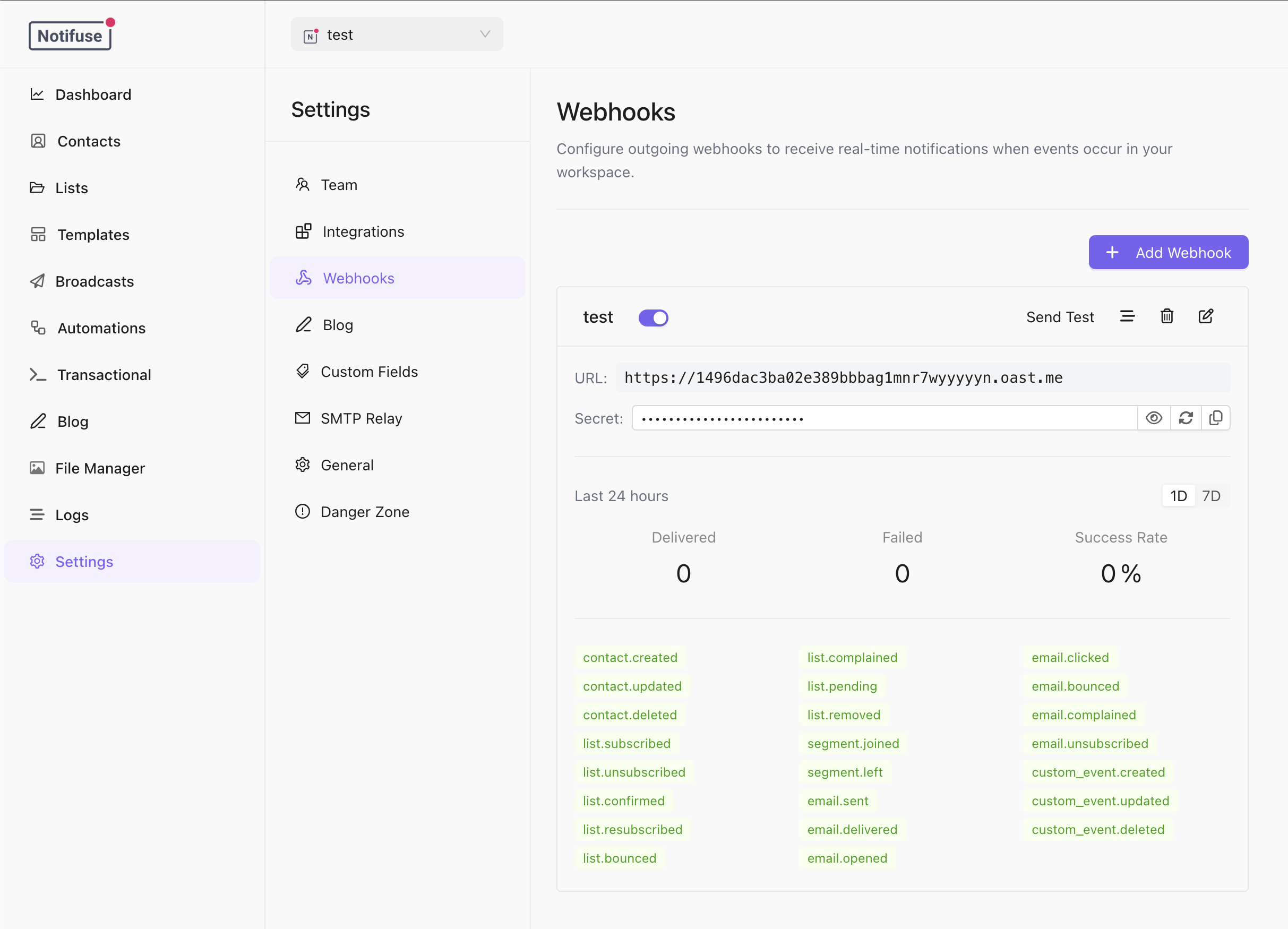
Creating a Webhook Subscription
Create a webhook subscription via the API or the Notifuse console:Available Event Types
Contact Events
List Events
Segment Events
Email Events
Custom Events
Custom Event Filters
For custom events, you can optionally filter bygoal_types and event_names:
Filtering by List and Segment
By default a subscription tolist.* events receives an event for every list in the workspace, and a subscription to segment.* events one for every segment. Narrow that with list_ids and segment_ids:
list_idsapplies to thelist.*events only,segment_idsto thesegment.*events only. Neither affects contact, email or custom event types.- Omitting a filter, or sending an empty array, means “every list” or “every segment” — which is how every subscription created before these filters existed keeps behaving.
- Both filters can be changed later with
webhookSubscriptions.update.
Subscription Fields
Alongside its name, URL and event types, a subscription reports:When Notifuse Switches a Subscription Off
An endpoint that stops answering is retired automatically, but only once it has been failing persistently. Both conditions have to be met: 20 consecutive failures, and a run of them that has been going for more than two hours. A short outage — a deploy, a restart, a receiver that is briefly unreachable during an import — never switches your subscription off, however many deliveries it refuses in the meantime. Those deliveries are retried on the usual backoff. An endpoint answering410 Gone is the exception and is retired at once, because that status means the receiver is telling you the subscription no longer exists.
Switching a subscription back on clears its failure history, so it starts from a clean slate rather than being retired again on the next hiccup.
Where Notifuse Can Deliver
Your endpoint has to be reachable from the public internet. Notifuse refuses to connect to private, loopback, link-local and reserved addresses — including the cloud instance metadata endpoint — and checks this again on every redirect, so a public URL that redirects to an internal one is refused as well. A subscription whose URL names such an address is rejected when you save it.Self-hosted only: if you run Notifuse yourself and deliberately deliver webhooks to a service on your own private network — a container on the same Docker network, an internal automation tool — set
WEBHOOK_DELIVERY_ALLOW_PRIVATE_HOSTS=true. Leave it unset on any deployment where someone you would not trust with your internal network can create subscriptions or edit automations. The same setting covers automation webhook nodes.Payload Structure
All webhook payloads follow this structure:Example: Contact Created
Example: Email Sent
Example: Email Opened
Example: Segment Joined
Verifying Webhook Signatures
Notifuse signs all webhook payloads using the Standard Webhooks specification with HMAC-SHA256.Headers
Each webhook request includes these headers:Verifying the Signature
- Extract the timestamp and signature from the headers
- Construct the signed payload:
{webhook-id}.{webhook-timestamp}.{body} - Compute HMAC-SHA256 using your webhook secret
- Compare with the provided signature
Code Examples
Retry Behavior
Notifuse automatically retries failed webhook deliveries with an exponential backoff strategy.Retry Schedule
Webhooks are retried up to 10 times over approximately 34 hours:Success Criteria
A webhook delivery is considered successful if your endpoint returns HTTP status code2xx (200-299).
Failure Conditions
A delivery attempt fails if:- Your endpoint returns a non-2xx status code
- The request times out (30 second timeout)
- The endpoint is unreachable (DNS error, connection refused, etc.)
Automatic Disabling
An endpoint that has moved, been decommissioned or lost its DNS record never comes back on its own, and Notifuse will not keep queueing deliveries for it forever. After a long run of back-to-back failures, a subscription is switched off automatically and the reason is recorded on it, so a webhook you find disabled can be told apart from one you disabled yourself. The counter is per subscription and a single successful delivery resets it to zero, so an endpoint that is merely having a bad afternoon is not switched off — only one that fails persistently. Two responses are treated specially:429 Too Many Requestsnever counts as a failure. Rate limiting is your server asking for less, not an endpoint dying, and a workspace busy enough to be throttled should not have its integration switched off for being busy. The delivery is retried on the normal schedule.410 Goneis terminal on the first response. It is the standard way for a receiver to say “this subscription is dead, stop sending”, so the subscription is retired immediately rather than after the usual run of failures. A subscription you created is switched off with that reason recorded; one created by another tool, such as Zapier, is removed outright, because the tool recreates it when it needs it.404is not treated this way — an endpoint that is briefly missing is retried like any other failure.
A disabled subscription drops events rather than queueing them. Deliveries that come up while a subscription is off — whether you switched it off or Notifuse did — are marked failed in the delivery log and are not replayed when you turn it back on. If you need the events that occurred during an outage, read them from the API rather than expecting a backlog.
Deleting a Subscription
Deleting a subscription also discards the deliveries still queued for it. There is nothing left behind to retry, and no need to drain a queue before deleting. Disable a subscription instead of deleting it when you expect to bring the endpoint back: disabling is reversible, and the subscription — with its signing secret and its delivery history — survives. A deleted subscription cannot be restored, and recreating it issues a new signing secret.Best Practices
Return 2xx Quickly
Return a successful response as quickly as possible. Process the webhook payload asynchronously if needed:Handle Duplicate Deliveries
Webhooks may be delivered more than once in rare cases. Use thewebhook-id header to implement idempotency:
Verify Signatures
Always verify webhook signatures in production to ensure requests are from Notifuse.Monitor Delivery Failures
Use the Notifuse console or API to monitor webhook delivery status:Testing Webhooks
Send a Test Webhook
Use the test endpoint to verify your webhook configuration:event_type parameter is optional. If provided, the test webhook will include a realistic sample payload for that event type. If omitted, a generic test payload is sent.
Local Development
For local development, use tools like ngrok or localtunnel to expose your local server:Permissions
Outgoing subscriptions follow the Webhook Subscriptions permission: read lists subscriptions, opens one, and shows its delivery history — including each event payload and the endpoint’s response status and body. Write creates, updates, deletes, enables and disables subscriptions, and fires a test delivery. Firing a test is a write, not a read, because it makes your server call out. Incoming provider callbacks follow the Webhook Events permission: read shows the raw callbacks your email providers have sent back to Notifuse, including recipient addresses and provider diagnostics. Webhook Events write gates nothing today — the rows arrive on the provider callback routes, which carry no session and consult no permission, so granting it confers nothing. The console shows it granted and locked. The catalogue of available event types is not gated at all: any authenticated member or key can list it. Two actions stay reserved for the workspace owner, whatever permissions a member or API key holds:- Regenerating a subscription’s signing secret. The secret is also hidden from everyone but the owner, so Webhook Subscriptions read never hands it out — a member can list subscriptions and inspect deliveries without ever seeing the key those payloads are signed with.
- Registering webhooks with an email provider, because it uses the provider credentials stored in your integration.
Notes
- Webhooks require HTTPS endpoints in production
- The signing secret is generated automatically when you create a subscription
- Use
webhookSubscriptions.regenerateSecretto rotate the signing secret - See API Reference for complete endpoint documentation