
Admin Management
Inviting Admins
- Owner Only: Only the workspace owner can invite new admins
- Scoped Access: You pick the permissions the invitation carries, and you can change them later
- Email Invitation: Send invitations via email address
Permissions
Self-hosted: saving a permission set that is not full access needs a licence key — setting a member’s permissions, inviting with a restricted set, or creating an API key with a restricted scope. Without one, new members and new keys receive full access. Permissions already granted stay enforced in every licence state, and removing a member is always allowed, because that is what revokes a leaked key. Every Notifuse Cloud plan includes it.
API Key Management
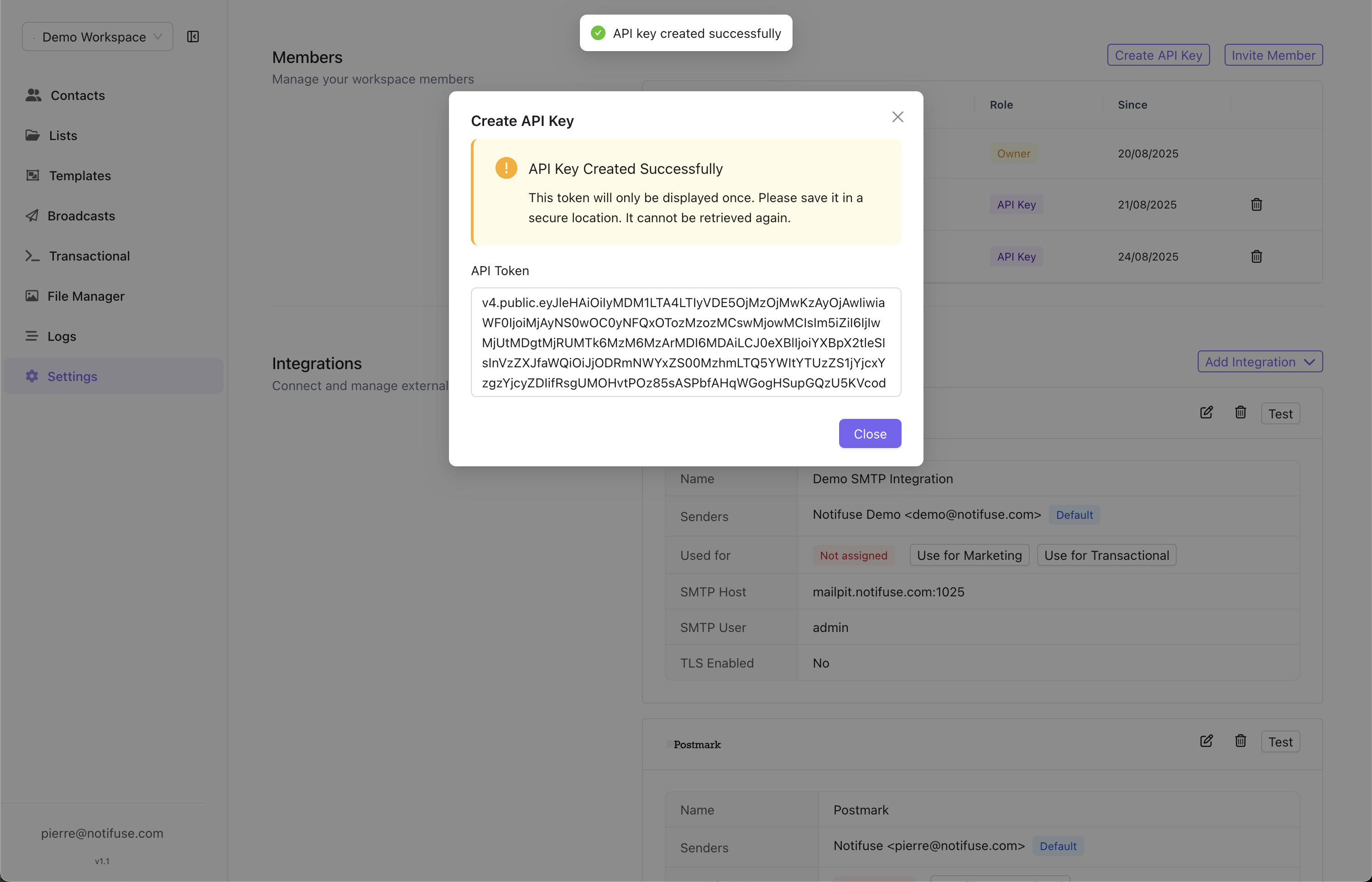
Creating API Keys
- Owner Only: Only the workspace owner can create an API key
- Scoped Access: Choose the permissions the key carries when you create it, or grant everything
- One-Time Display: The token is shown only once, when the key is created
/api/workspaces.list returns the workspace record the key belongs to — its settings, custom field labels and the reusable template blocks stored on it — with provider credentials redacted. Everything on the table below is closed to it.
Give each integration its own key with the narrowest set of permissions that makes it work. A key that only sends transactional email needs nothing but Transactional write — see Transactional API. You do not have to work the scope out for Zapier: connecting it from Settings → Integrations creates a key already scoped to Webhook Subscriptions, Contacts and Lists read and write, plus Segments read.
The prefix you choose becomes the key’s API email address, which is also the SMTP bridge username. It accepts lowercase letters, digits, hyphens and underscores, up to 64 characters, and each prefix can be used once per Notifuse installation.
Changing a Key’s Scope
You can widen or narrow an existing key at any time from the Team page. The change takes effect immediately, on the key’s next request. The token does not change, so there is nothing to re-issue and no integration to update — you do not have to touch the application holding the key.Security
- Secure Storage: Copy and store the token immediately after creation
- No Recovery: Lost tokens cannot be retrieved — create a new key
- HTTPS Required: All API calls must use secure connections
403 and names the area it was missing — as contacts, webhook_subscriptions and so on — along with the missing switch. A quota 403 carries neither, so the two are easy to tell apart.
Revoking a Key
Two consequences worth knowing before an incident rather than during one:- Narrowing a key is not revoking it. A key stripped of every permission still authenticates and still holds whatever access is not permission-gated. Treat it as a way to contain a key, not to kill it.
- You cannot tell which key leaked. Keys carry no last-used timestamp and no per-key request log, so if you suspect a token has been exposed but do not have the token itself, nothing in Notifuse identifies which of your keys it is. With several keys in play, the only sound response is to remove all of them, create replacements, and update every integration.
What Each Permission Allows
When a release introduces a new permission, existing members and API keys are granted it on
upgrade. A key you deliberately narrowed therefore widens with the new area, and stays widened
until you narrow it again. Re-check your scoped keys after each upgrade. A key with every
permission switched off is the one exception: the upgrade leaves it alone.Audit logs read is the second exception, and the only permission that works this way: it is
never filled in on upgrade and is not part of full access. Grant it deliberately, to the people
and keys that should read every colleague’s email address, IP address and refused actions.
Two endpoint families are shared, and answer to whichever permission matches what you ask for:
/api/analytics.query checks the permission of each schema you query, and /api/tasks.* checks the permission of the task type — Segments for segment builds, Broadcasts for sends, Web Analytics for backfills, Workspace for integration syncs.
Verbs That Gate Nothing Today
Four switches have no endpoint behind them as the API stands: LLM read, Message History write, Webhook Events write and Audit logs write. The console shows all four granted and locked, and you cannot turn them off. That is deliberate: storing one as “off” would be permanent, because filling in a missing permission only ever adds what a grant lacks, so nothing would widen it if a later release gives the verb something real to gate. Granting them confers nothing. Their neighbours do the work: the AI assistant answers to LLM write, message history is read-only because rows are written by the sending pipeline, inbound provider callbacks arrive on routes that carry no session and consult no permission at all, and the audit trail is written by the platform itself — its one writable setting, the retention, is owner-only and answers to no permission.Workspace Write Is Narrower Than It Sounds
The only workspace setting the Workspace permission lets you change is the custom contact field labels. It does not cover:- Renaming the workspace, changing its general settings, or deleting it — owner-only.
- Creating, updating or deleting an integration — owner-only. Granting Workspace write does not confer it, and an owner has it without.
- Blog settings, which answer to Blog write.
- Web analytics settings, which answer to Web Analytics write.
Owner-Only Actions
No permission grants these. They stay with the workspace owner whatever a member or key holds:- Renaming the workspace, changing its general settings, and deleting it
- Creating, updating and deleting integrations, and the Amazon SES configuration endpoints
- Registering webhooks with an email provider, because it uses the provider credentials stored in your integration
- Regenerating a webhook subscription’s signing secret — and reading it, which is redacted for everyone else
- Inviting a member, removing a member, and setting a member’s permissions
- Creating an API key
- Transferring ownership of the workspace
Permissions That Reach Further Than Their Name
Read these before granting them to a key you do not fully control.- Contacts write deletes and overwrites in bulk. It covers
/api/contacts.delete, and it covers/api/contacts.import, which overwrites every field each row carries — a single call can rewrite your whole contact database. It is not “can add contacts”. Contacts read is likewise not confined to profiles: it covers the contact timeline and custom events. - Lists write is an implicit Contacts write. Subscribing an address through
/api/lists.subscribecreates or overwrites that contact’s whole record, with every field the request carries, without needing Contacts write — so a key holding only Lists write can still rewrite contact data. The same call can subscribe someone to a list that is not public. Grant Lists write only where you would grant Contacts write. - Broadcasts write sends. The same switch that lets someone draft a campaign lets them push it to your entire audience — through
/api/broadcasts.schedule, and again by triggering or resetting the underlying send task. - Automations write reads contacts, changes lists and sends mail. A webhook node posts the complete contact record to any URL the automation names, and nothing checks permissions while an automation runs; its other nodes add and remove contacts from lists and send email. So this switch reaches contact data, list membership and sending with no Contacts, Lists or Transactional grant at all.
- Automations read exposes secrets. The webhook node configuration it returns includes the bearer tokens configured on those nodes.
- Blog write runs JavaScript on your domain. It includes publishing a theme, and a theme carries its own
scripts.js, served to every visitor of your blog’s custom domain. It also switches the blog feature on and off. - Templates covers reusable blocks. Editing one block changes every template that embeds it. Blocks are stored with the workspace’s own settings, so their content also comes back from the workspace record.
- Web Analytics covers annotations. Annotations have no permission of their own, so this grant is also the right to write on the shared timeline everyone reads. Note that the public tracking collector is governed by nothing at all: it accepts data without authentication, and no permission changes that.
- Webhook Subscriptions write receives contact and email data. A subscription chooses the events it carries, so the holder can subscribe to contact and email events and have that data delivered to a URL of their choosing. Read opens the delivery log, which carries the payloads themselves. See Webhooks.
- Segments read plus Contacts read is a query tool.
/api/segments.previewaccepts any definition sent to it, not just a saved segment, so the pair can ask counting questions about contact attributes, list membership, custom events and timeline — one count at a time, on any condition. Segments read alone cannot. - Message History read is contact data. The log carries recipient addresses and the data each message was rendered with.
- LLM write spends. AI assistant requests go to your configured AI provider on your workspace’s billing, and are not capped per key. With a Firecrawl integration configured, it also lets the assistant scrape and search the web through your credentials.
Transactional Sending and Contacts
Transactional write on its own is enough to send. That makes a genuine send-only key practical, and the rules are the same over the API and the SMTP bridge:- Without Contacts write, the send still creates the recipient contact when it does not exist, but stores nothing beyond the email address, and never modifies an existing contact.
- Without Contacts read, a send that sets
ccorbccis refused — the subject line is rendered against each recipient’s whole record. On the SMTP bridge those come from the message’sCc:andBcc:headers.
/api/email.testProvider, which only claims to test a provider.