
Overview
Logs provide real-time monitoring of email activity and webhook events to help debug email delivery issues and track campaign performance. The same section also holds the workspace’s audit trail — who did what, from where — on its own tab.Log Types
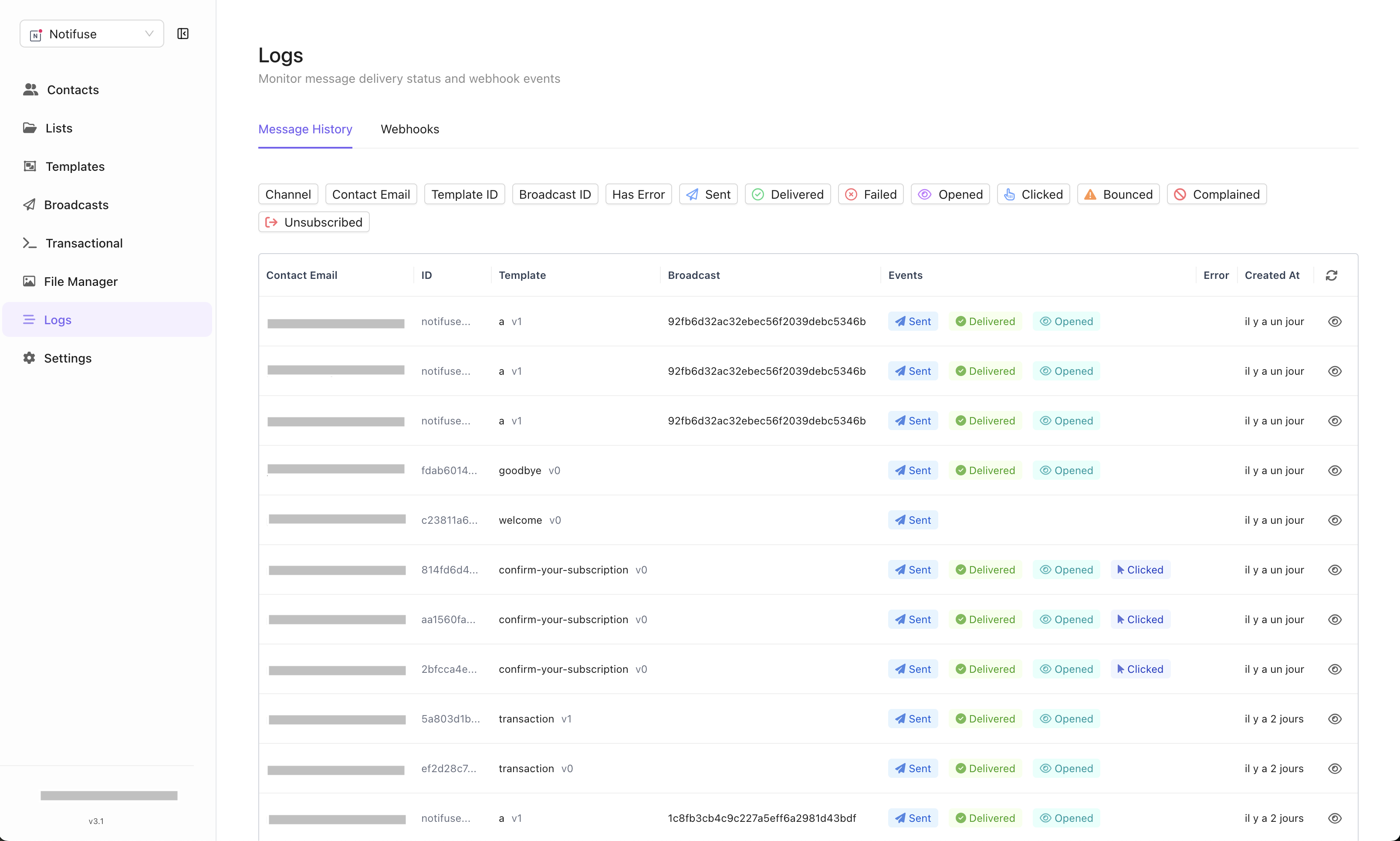
Messages Tab
- Email Events: Track delivery, opens, clicks, bounces, and complaints
- Real-Time Updates: Events appear immediately as they occur
- Email Provider Data: Direct feedback from your configured email providers
- Error: When a send was refused, the provider’s own reply — the SMTP code and the text that came with it, such as
452: 4.3.1 Daily sending quota exceeded. Hover to read the whole of it, or hide the column from the column picker.
Email Provider Webhooks Tab
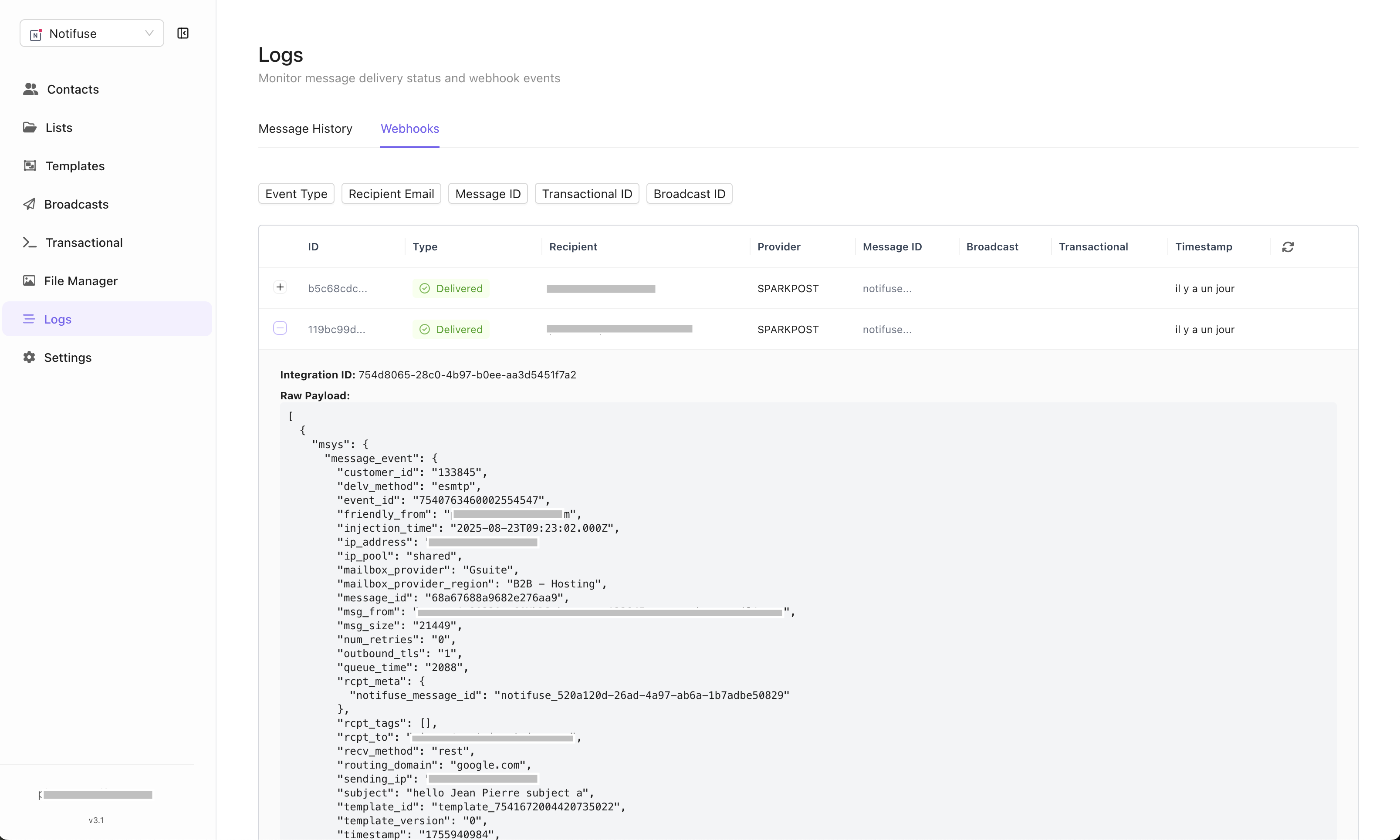
- Raw Payloads: Stores each event’s data exactly as the email provider sent it. When a provider sends its events in batches (SendGrid, SparkPost, Mailjet), each event keeps its own entry of the batch
- Real-Time Processing: Webhooks processed immediately upon receipt
- Provider Integration: Data from Mailgun, Amazon SES, Postmark, etc.
- Emails Notifuse Sent: Only events about an email Notifuse sent, for the address it went to, are listed and acted on. Events about other mail, such as another application’s on the same provider account or an integration’s test email, are ignored.
Audit Logs Tab
- Who Did What: Every control-plane action — a member invited, a permission changed, an API key created, an integration edited, a template saved, a broadcast scheduled — with the actor, the IP address, the outcome and a before/after of what changed
- Append-Only: A database trigger refuses every rewrite; the retention purge is the only deletion
- Exportable: Download the current filter as CSV or NDJSON, or pull it over the API into a SIEM
Event Updates
Email events are updated in real-time as email provider webhooks are received:- Delivered: Email successfully delivered to recipient
- Opened: Recipient opened the email
- Clicked: Recipient clicked a link in the email
- Bounced: Email delivery failed
- Complained: Recipient marked email as spam
Filtering Options
Filter logs by multiple criteria:- Status: Filter by delivery status (delivered, bounced, etc.)
- Delivery: Show only the messages that failed to send, or only those that did not
- Email: Search by specific recipient email address
- Template: Filter by email template used
- Broadcast: Filter by specific broadcast campaign
Permissions
The tabs answer to different permissions, all read-only in practice:- Messages needs Message History read. This is also where broadcast delivery statistics live — delivered, open, click, bounce and per-link counts — so a member who may create and send a broadcast still cannot see how it performed without it. The log carries recipient addresses and the data each message was rendered with, so treat it as contact data.
- Email Provider Webhooks needs Webhook Events read. These are the providers’ own payloads, including recipient addresses and provider diagnostics.
- Audit logs needs Audit logs read, which an owner grants deliberately — it is never part of full access, because full access should not imply reading every colleague’s email address, IP address and refused actions. Owners always see the tab, and a root user can switch it to the whole deployment.
Debugging Email Issues
Logs are essential for troubleshooting email provider problems:- Delivery Failures: Identify bounced emails and reasons, and read why a send was refused in the Error column
- Provider Issues: Spot patterns in webhook failures
- Performance Monitoring: Track open and click rates
- Real-Time Debugging: Immediate feedback on email sending issues