
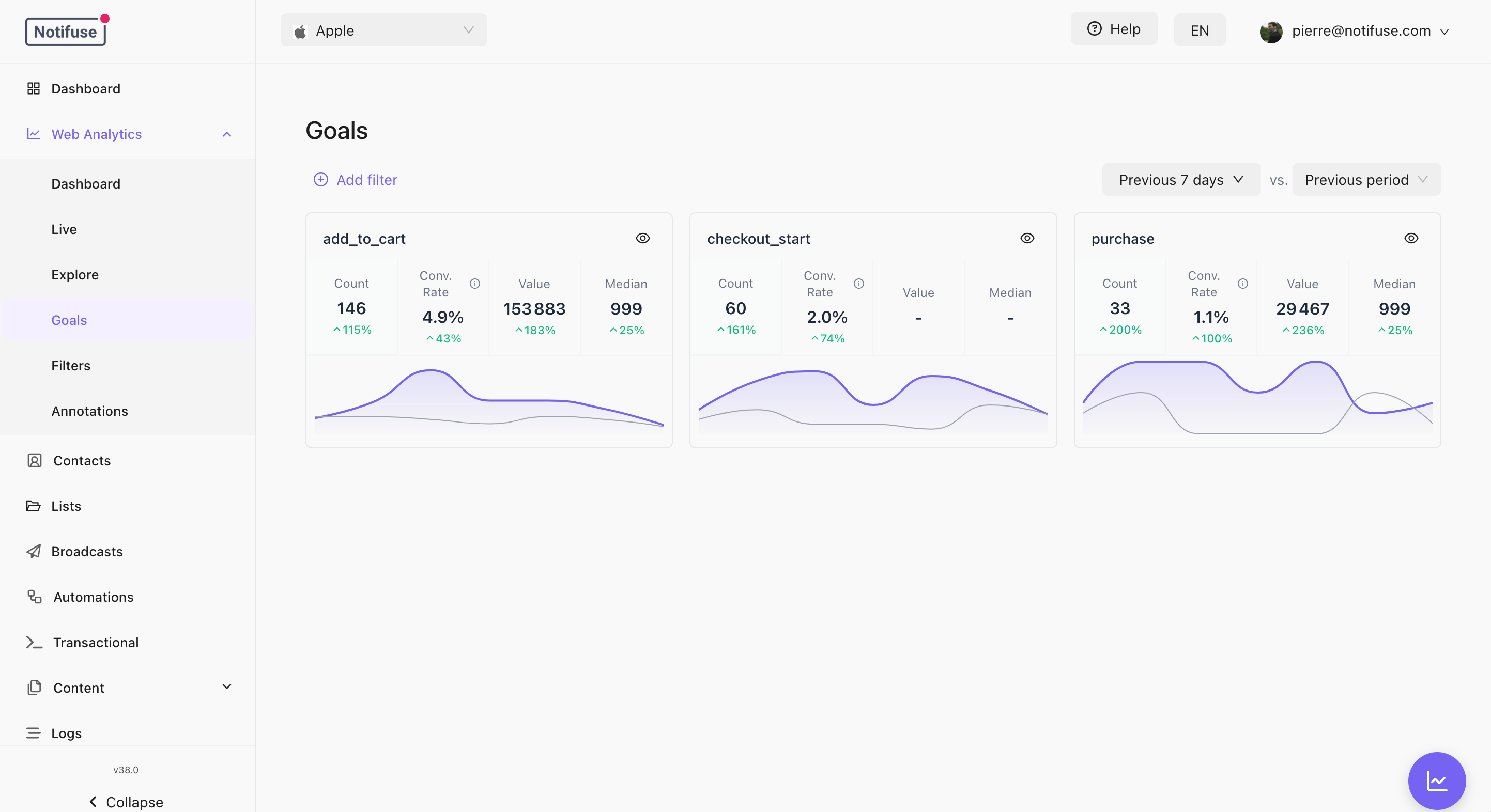
Recording a Goal
type is required because only your site knows whether a conversion is a sale or
a lead, and the goal-based segment conditions filter on it. trackGoal rejects
when type is missing or isn’t one of these values, in lowercase, so catch the
error if you wait for trackGoal before redirecting. Use other when none of
the rest fit.
The current page path and its position in the visit are attached for you, so a goal always knows where it happened.
Goals are sent immediately rather than waiting for the next heartbeat. A conversion on a page the visitor is about to leave still arrives.
Values From a Tag Manager or Plain JavaScript
A snippet or a tag manager often passes values read from the page, sotrackGoal converts the common types for you:
- A
valuegiven as a string written like a JSON number, such as'49.90'or'120', is stored as a number.'49,90','1,299.00','€49.90'and'.5'are not, and such a goal is left out, as described below. - A
valueofNaN(whatparseFloat('€49.90')returns), an infinite number,nullor an empty string records the goal without a value and without a warning. The Goals tab and the reports count such a goal as 0 in average and median values. - Numbers and booleans in
propertiesare stored as strings and aDateas its ISO string.null,NaN, an infinite number and an invalidDateare stored as an empty string, and anundefinedentry is left out. - When
propertiesisfalse,''or0, ascoupon && { coupon }gives without a coupon, the goal is recorded without properties.
trackGoal before redirecting still redirects. That covers a missing, blank or non-string action or one over 100 bytes, a value that isn’t a number or is outside 0 to 1e12, and properties that are an array, a non-empty string, true or a number other than 0 and NaN, hold an object or an array, or go over the limits above. The rest of the visit keeps recording.
A Map, FormData or URLSearchParams has no fields of its own, so a goal given one as properties is recorded without properties and without a warning: pass Object.fromEntries(…) of it instead, leaving out any file field, whose value is an object.
What a Goal Produces
Clicking a goal opens its own dashboard — the conversions and value over time, annotated like the main chart, with the sources and campaigns that produced them.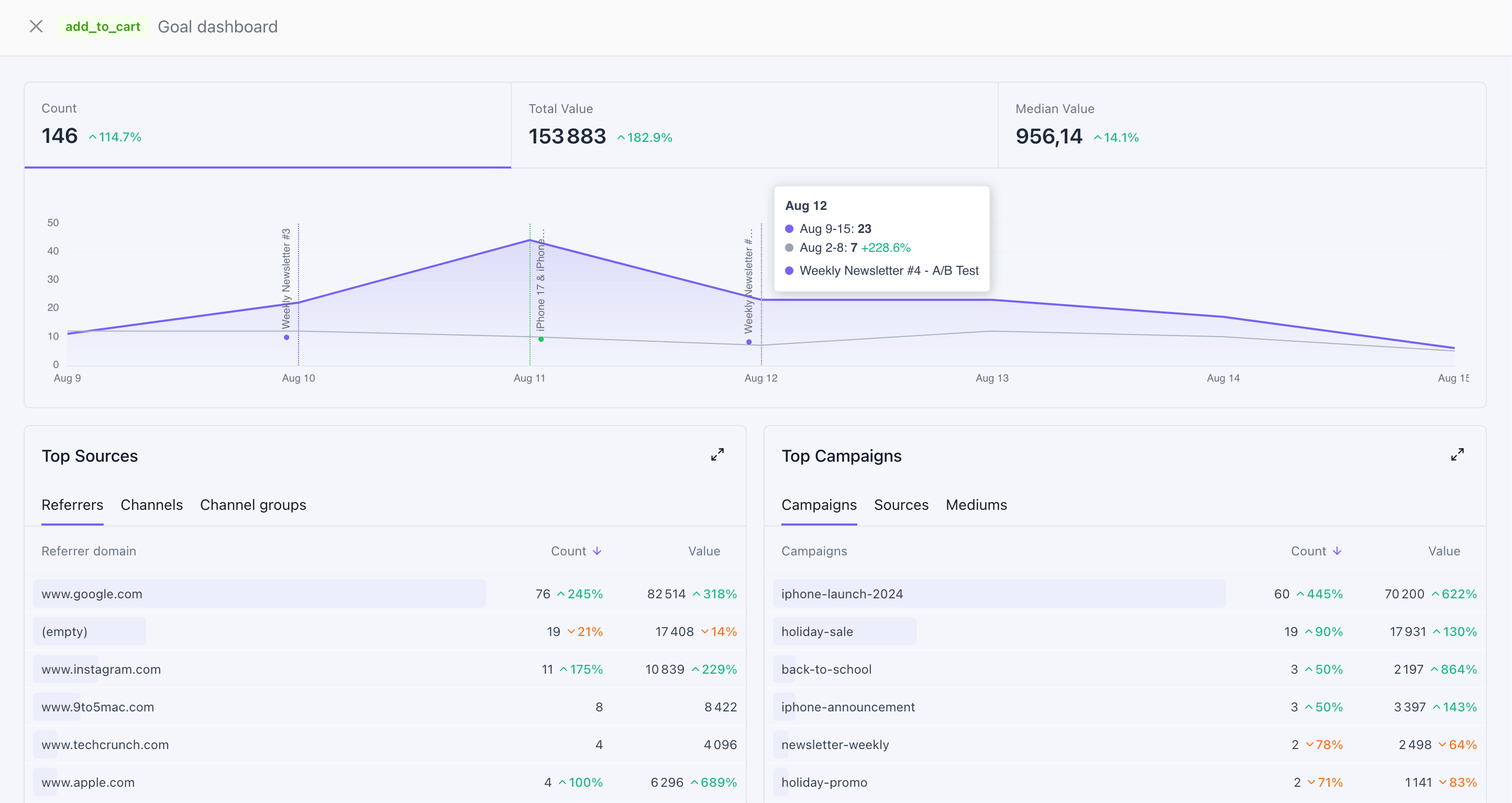
Goal Names on the Contact Timeline
A goal that reaches a contact timeline is normalised first: lowercased, with anything outside ASCIIa–z, 0–9, . and / collapsed to a single _, leading and trailing _ trimmed, and the result cut at 100 characters. So Trial Started arrives as trial_started, and it is that name an automation or segment matches on.
Using Web Goals in Segments
A web goal is as expressive as a custom event created through the API, because it carries the same three things: a name, a value and a type.- The Custom Events Goal condition matches web goals, under a specific type or under All types, and counts, sums and averages their value.
- An automation can trigger on a custom event with the goal’s normalised name.
The type is asserted by your site, not verified by Notifuse — the same page also
chooses the goal’s name and value. Read revenue reporting with that in mind, as
you would for events sent through the API.
Limits
- Up to 100 goals of one session are bridged to the contact timeline per write batch. Goals beyond that within the same batch are dropped from the timeline permanently, and the counter restarts on each batch — so a long visit that keeps converting can end up with more than 100 timeline entries in total. Either way the visit itself keeps recording; the cap only affects the timeline copy.
- A goal older than 24 hours is not bridged to a timeline. A visitor whose browser was offline for a day comes back with their visit intact, without firing “you just did this” automations a day late.
- A goal with a value above 1e12, a name over 100 bytes, properties over 50 keys, 1024 bytes in one value or 8 KB in all with their keys, a property that holds an object or an array, or a NUL character (
\u0000) in its name or properties is dropped — the goal alone, never the rest of the visit.
Notes
- Goals from anonymous visitors are recorded and reported normally. Only the timeline copy needs an identity.
- Bridged events carry the visit’s context as properties — session id, path, landing path, UTM source / medium / campaign, device and country — alongside your own. Those keys are set by Notifuse and overwrite properties of the same name.
- A currency, an order id, or anything else the conversion carries goes in
properties— those are sent and stored. There is no dedicatedcurrencyfield:goal_valueis a plain number, so if you record more than one currency, group your reports by the currency property rather than summing values across them. - API Reference