
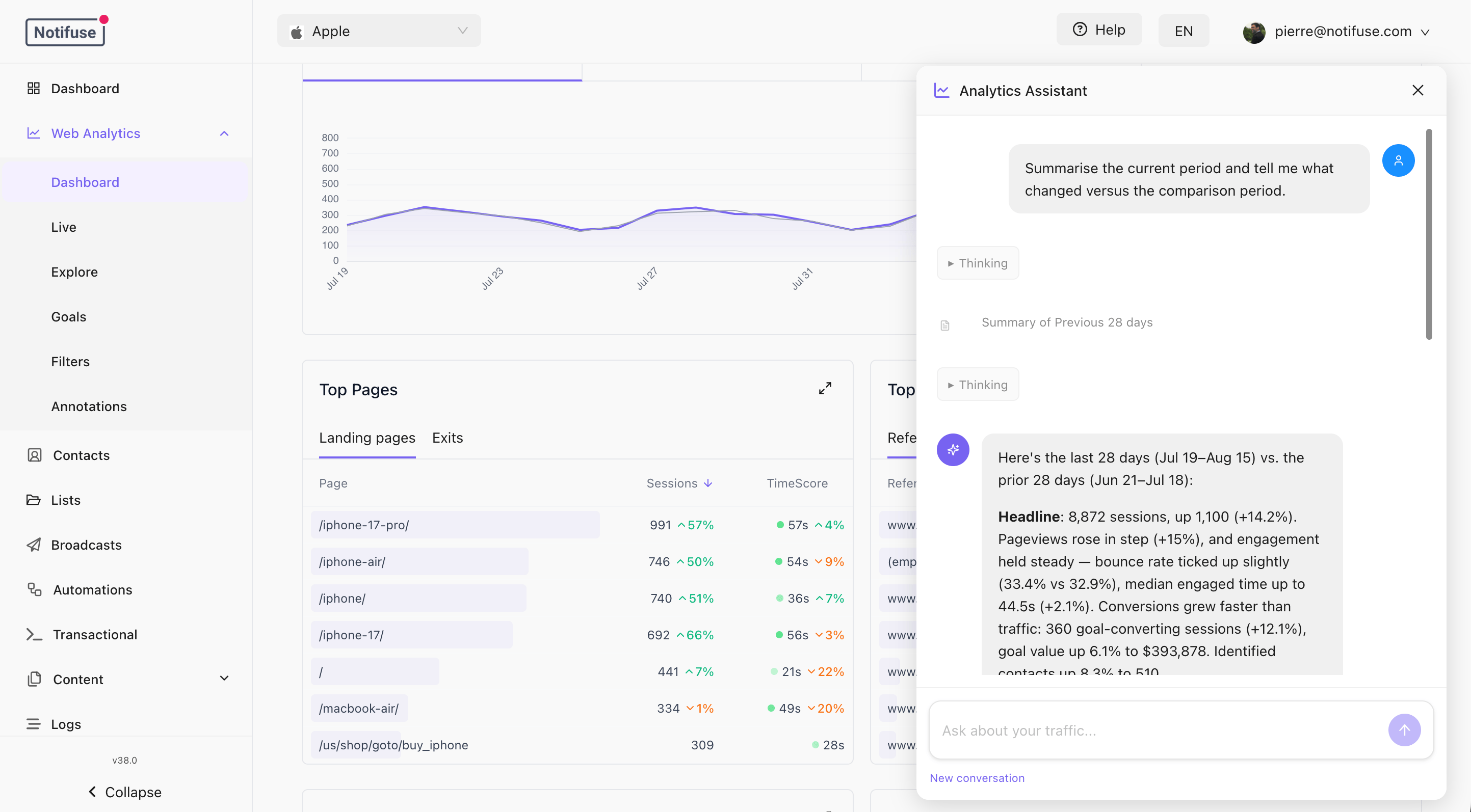
This is the Web Analytics surface of the workspace AI Assistant, which runs on your own provider key. Until an LLM integration is configured, the panel offers a link to set one up instead of a chat box.
Opening it
Once Web Analytics is enabled, a button sits in the bottom-right corner of the Dashboard, Explore and Goals sections. It is not available on the Filters section, which configures attribution rules rather than reading a report. An empty conversation offers a few starters — summarise the period, explain a change, top sources, best and worst pages. Clicking one sends it.What it can answer
Anything the reports can express:
Ask it something the data cannot answer and it will say so rather than guess. It is instructed not to claim a cause it cannot see in the numbers — a drop that lines up with one campaign ending is reported as exactly that, not as a conclusion.
Driving the dashboard
The assistant can change the screen as well as read it:- set the period, a custom date range, the comparison window or the timezone
- apply, add to, or clear the dashboard filters
- open an Explore report grouped by the dimensions you asked for
- move between the Dashboard, Explore and Goals sections
What it will not do
If the dashboard is already filtered to a single person when you ask a question, the assistant is told a filter is in force — otherwise it would misread every number — but not what the filter’s value is.
Data freshness
Sessions are written in batches, so the last minute or so of activity may not be in an answer yet, and a period that includes today includes an incomplete day. The assistant says so when it matters. For what is happening right now, use the live view instead.Model choice and cost
Answering here depends on tool calling: the assistant picks a query, reads the rows that come back, and reasons over them. If answers are vague, or it repeatedly says it cannot find a dimension, try a stronger model before assuming the data is at fault. A data question also costs more than a plain chat of the same length. It takes at least two requests to the provider — one to choose the query, one to read the result — and a period summary is a large single result to read. Provider options, model selection and how the panel reports cost are on the AI Assistant page.Related
- AI Assistant — setting it up, providers, and the email and blog surfaces
- Reports — the dimensions and measures the assistant queries
- Goals — how conversions get their type and value
- Identifying visitors — what makes the
contactsmeasure non-zero